ExplainedHousehold
Living Room Setup for Winter Evenings: Light, Sound, Warmth and a Ready Screen
Get the living room ready for long winter film nights: soft bias lighting, a good viewing angle, quiet-friendly sound, safe warmth and a screen ready to go.
5 min read
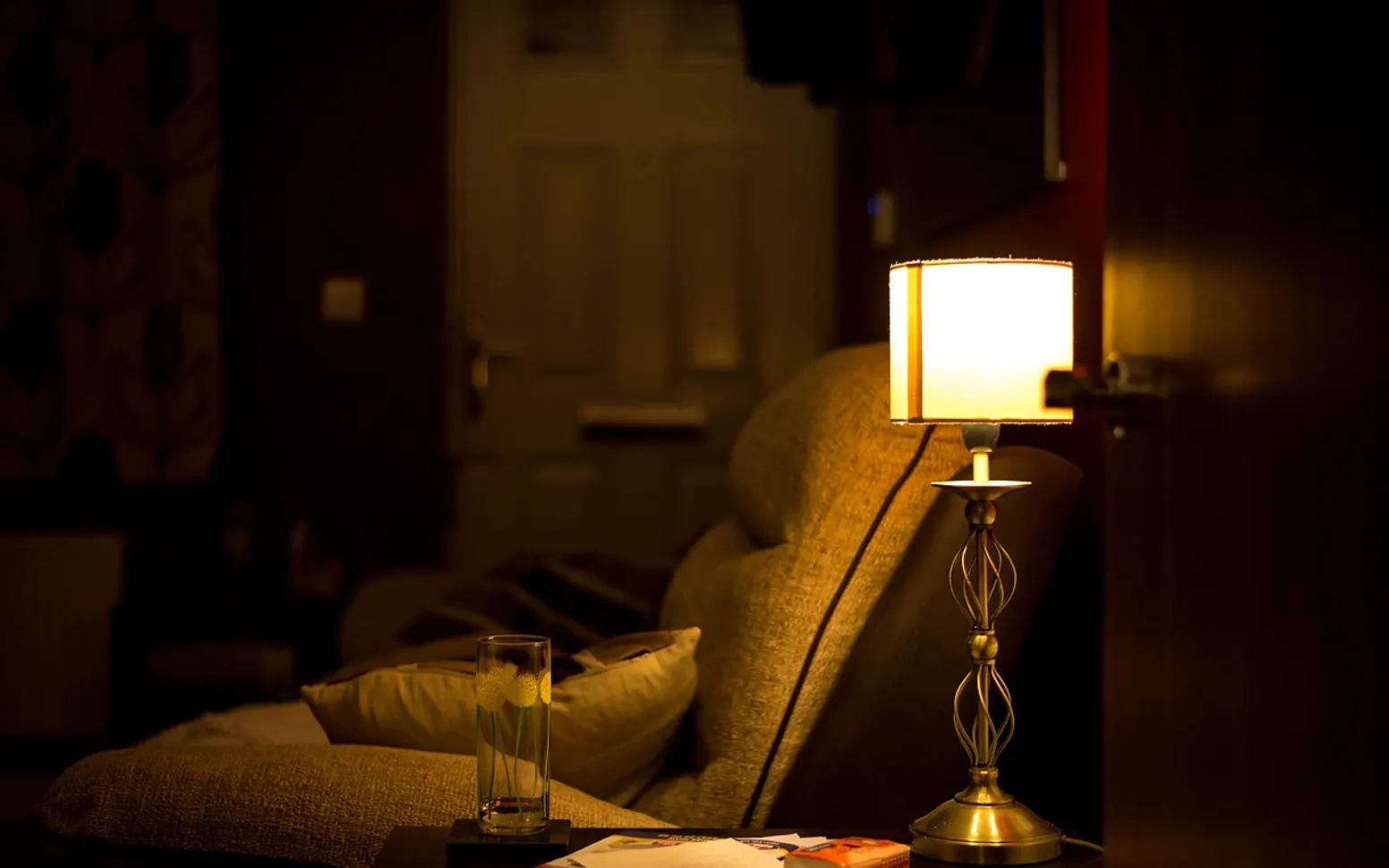
A living room that works well on dark winter evenings needs five things: soft light that does not bounce off the screen, seating at a comfortable angle, sound that stays clear at a low volume, warmth that keeps away from the electronics, and a TV that opens straight onto the channels and apps you actually watch. Sort those out once in October or November and every film night after that starts with a press of the remote instead of twenty minutes of fiddling.
Lighting: soft, warm and away from the screen
Watching a bright screen in a pitch-dark room is tiring for the eyes, and a ceiling light at full strength washes out the picture. The middle ground is a few low, warm light sources placed so that none of them reflect in the glass.
- Bias lighting behind the TV. A strip of LEDs on the back of the set throws a gentle glow onto the wall. It softens the contrast between screen and surroundings. A neutral white usually looks better than coloured light.
- Warm lamps to the side or behind the sofa. Table and floor lamps with warm bulbs give the room a calm feel without lighting up the screen. Lamps directly opposite the TV tend to show up as bright spots in the picture.
- Check for glare in daylight and at night. Sit in your usual spot, switch the TV off and look at the black screen. Any lamp or window you can see in it will also be visible during dark scenes.
- Curtains for late afternoon. The low Dutch winter sun shines straight across a room; closing curtains early keeps it off the screen.
If the lamps sit on separate sockets, putting them on a timer or schedule saves walking round the room each evening. The guide on how smart plugs switch lamps on a schedule explains how that works and which devices should stay off them.
Seating and viewing angle
The centre of the screen ideally sits close to eye level when you are seated. A TV mounted high above a fireplace means tilting the head back for hours; if the set has to sit high, a mount that tilts downwards helps.
Most screens look best straight on, and seats far off to the side may see faded colours. Angling chairs gently towards the screen works better than lining them up against the side wall. Sit close enough that subtitles are easy to read, but far enough that you are not turning your head to follow the action.
Sound that is clear without disturbing the neighbours
Terraced houses and flats share walls, and deep bass travels much further than speech. Quiet dialogue tempts people to turn the volume up, and then the next explosion fills the stairwell.
| Setting | What it does | When to use it |
|---|---|---|
| Night mode | Narrows the gap between quiet and loud passages | Late films with sudden loud scenes |
| Dialogue or voice enhancement | Lifts the frequencies of speech above music and effects | Dramas and series with soft-spoken scenes |
| Lower bass level | Reduces the low rumble that carries through walls | Shared walls or a flat above or below |
| Subtitles | Keeps the story easy to follow at a low volume | Any time the volume has to stay down |
The names differ between TVs and soundbars, so look in the audio menu for anything mentioning night, dynamic range, voice or clarity.
Keeping warm without risking the electronics
Blankets for each seat go a long way, and closing doors to colder hallways keeps the heat where people sit. If extra heat is needed, keep any portable heater well away from the TV, soundbar, media boxes and their cables, and never place one in a closed cabinet. Electronics need ventilation too, so keep blankets and cushions off their vents. Follow the heater's own instructions and switch it off when the room is empty.
A tidy media corner
Most of the friction of a film night comes from small things going missing. A basket or tray near the sofa solves most of it:
- Every remote in one place, with spare batteries next to them.
- A charging spot for phones and tablets that is not on the sofa arm.
- Blankets folded in a box or basket rather than draped over equipment.
- Cables run along the back of the cabinet and bundled with a simple tie.
- A small lamp or the bias light on a timer, so the room is ready at the usual time.
Channels and apps ready before the evening starts
A login screen or app update at the moment everyone sits down spoils the mood. Before winter, open each app on the TV, install pending updates, check every account is signed in and move the services you use most to the first row.
Live television over the internet has become an ordinary choice in many homes, and some households in the Netherlands like to settle their subscription before the dark months, searching for terms such as IPTV abonnement kopen while comparing what suits their viewing. Whichever service you choose, check that its app runs smoothly on your TV, that the channel guide loads quickly, and that the connection holds steady in the evening. A cabled connection or a powerline adapter often helps a TV in a far corner of the house.
Older smart TVs sometimes struggle with newer apps. In that case a small plug-in device can give the screen a fresh menu; the explainer on what a streaming stick does for an older TV covers what to check before choosing one.
Is bias lighting worth adding to an older TV?
It can be. The effect is about comfort rather than picture quality. Many strips draw power from a USB port on the TV and switch on and off with it.
What is the simplest change for quieter evenings?
Turning on night mode or dialogue enhancement, together with subtitles, usually makes the biggest difference. Speech stays clear and the loud moments no longer jump out.
Across the sections
Editor’s picks
 TechnologyAI Headshot Generators: The Fast Track to Professional-Looking Photos3 min
 BusinessEnhancing RAG Systems Through User Feedback2 min
 TechnologyWhat Is a Streaming Stick? A Plain Look at the Plug-In TV Gadget4 min
 BusinessFrom Nigeria to the World: Exploring Citizenship by Investment Programs Abroad3 min
Spotted a mistake?
Suggestions help us plan.
Also explained in Household
 Creator Studio
 Three-Point Lighting for Video Calls: Key, Fill and Back Light at Home
5 min Household
 How Do Smart Plugs Work? A Plain Guide for Everyday Rooms
3 min- Technology
What Is a Streaming Stick? A Plain Look at the Plug-In TV Gadget
4 min  Internet
 What Is a Powerline Adapter? Wired Internet Through the Wall Socket
4 min Household
 DIY Move or Professional Movers? How to Choose the Right Option
3 min Finance
 Speed and Certainty: A Close Look at Fast Bridging Loans in the United Kingdom
3 min