ExplainedCreator StudioTechnology
What Is a Lavalier Microphone? Clip-On Mics for Video, Interviews and Calls
A lavalier is a small clip-on microphone worn on clothing. How it works, wired versus wireless, where to clip it, how to stop rustle and how to connect it.
5 min read
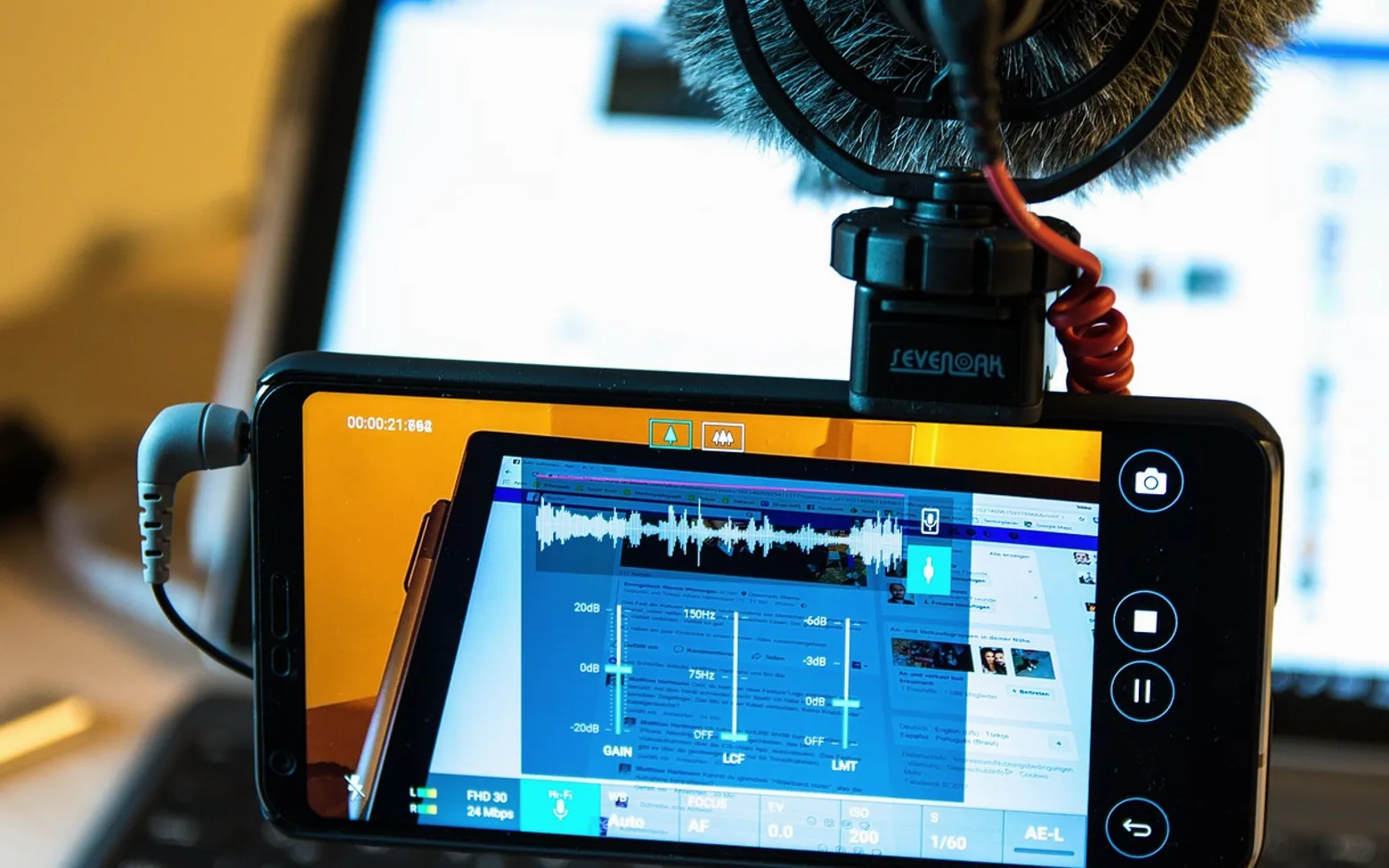
A presenter walks across a kitchen while explaining a recipe, turns to the hob, then back to the camera. The phone on its tripod is two metres away and its built-in microphone hears the extractor fan, the echo off the tiles and a voice that fades every time the speaker looks away. The usual fix in television and on video sets is tiny: a lavalier microphone, the clip-on mic seen on the lapel of almost every interviewee and news presenter.
What a lavalier actually is
A lavalier, often shortened to lav or called a lapel mic, is a miniature microphone worn on the body. The capsule is about the size of a pea, sits in a small clip and connects by a thin cable either to a recorder, a phone or camera, or to a wireless transmitter clipped to a belt or slipped into a pocket.
The big advantage is distance. A microphone placed a hand's width below the chin stays the same distance from the mouth however the speaker moves. The voice stays loud and steady compared with the room around it, so background noise and echo drop into the background where they belong. A camera-mounted mic, by contrast, gets further away every time the subject takes a step back.
Most lavaliers are small condenser capsules, and most have an omnidirectional pickup, meaning they hear equally in every direction. That sounds like a weakness, but it lets the mic cope when the speaker turns their head and makes placement far less fussy. The difference between capsule types and pickup patterns is laid out in the comparison of dynamic and condenser microphones.
Wired or wireless?
| Wired lavalier | Wireless lavalier | |
|---|---|---|
| How it connects | Cable runs straight to the phone, camera or recorder | Mic plugs into a small transmitter; a receiver sits on the camera or phone |
| Freedom to move | Limited by cable length | Speaker can walk around the room |
| Things to manage | A cable that can be tripped over or caught in shot | Charging, pairing and possible radio interference |
| Suits | Seated interviews, desk videos, voice-overs, calls | Walk-and-talk videos, presentations, cooking and workshop clips |
Many compact wireless kits now include two transmitters and one receiver, which covers an interview with two people. Some transmitters can also record internally as a backup in case the radio link drops, a useful feature for anything that cannot be filmed twice.
Where to clip it
- Start at the centre of the chest. A button placket, a tie or the middle of a neckline, roughly a hand's width below the chin, gives an even sound.
- Favour the side the speaker will turn towards. In an interview, clip the mic on the side facing the interviewer, so the voice does not fade when they turn to answer.
- Keep it clear of jewellery and scarves. Necklaces, lanyards and long hair brushing the capsule cause clicks and scratches that are almost impossible to remove later.
- Loop the cable. Run the cable under the clothing and tie a small loop near the clip before it disappears. The loop absorbs tugs, so movement is not transmitted to the capsule as thumps.
- Check the sound before recording. Ask the speaker to talk at full volume and laugh, and watch the level meter while listening on headphones.
Stopping rustle and wind
Clothing noise is the classic lavalier problem. Synthetic fabrics and stiff jackets are worst; soft cotton is kinder. When the mic has to go under a shirt to stay out of sight, a small triangle of tape or a purpose-made sticky mount holds it still against the fabric, and still is what matters. A capsule that rubs against cloth crackles; a capsule that is fixed in place usually does not.
Outdoors, even a light breeze can turn into a rumble. The small foam cover that comes with most lavs helps a little. A furry windshield, the fluffy cover nicknamed a "dead cat", does far better. Positioning the speaker with their back to the wind also helps.
Connecting to a phone, camera or computer
Plugs are where most beginners get stuck. Many wired lavs end in a 3.5 mm jack, but there are two kinds: a TRS plug, with two black bands, suits cameras and recorders, while a TRRS plug, with three bands, is the one phones and many laptops expect. Using the wrong one can mean the device ignores the mic and quietly records from its own. Adapters between the two exist, and phones without a headphone socket need a USB-C or Lightning adapter or a lav built for that port.
Professional lavaliers often use XLR or small locking connectors and need power from a transmitter or an adapter that supplies phantom power. Consumer models usually take the small "plug-in power" voltage that phones and cameras provide on their microphone inputs.
Whatever the connection, set the input level so normal speech sits comfortably below the top of the meter and the loudest laugh never hits the red. Recording a few seconds of silence in the room at the start also gives the editor something to work with if noise reduction is needed later.
When a lavalier is the right choice, and when it is not
- Good fit: interviews, explainers filmed on a phone, walk-and-talk clips, presentations, video calls where the speaker moves around the desk.
- Weaker fit: podcasts with several voices around one table, singing, and anything where the speaker keeps touching their chest or wearing layers that rustle.
- Worth remembering: a lav captures the voice, not the scene. For a talking-head video, the clean dialogue usually forms the main track, while inserts and cutaways are laid over it, the method explained in the piece on B-roll and cutaway footage.
Good sound also makes editing smoother. When speech is clean and steady from take to take, a sentence can carry over a picture change without a jump in tone, which is exactly what the J-cuts and L-cuts used in interviews rely on.
A quick checklist before pressing record
- Battery or charge checked on transmitter and receiver
- Correct plug type, or the right adapter, in place
- Mic a hand's width below the chin, clear of jewellery and hair
- Cable looped and taped, with the clip hidden or neat
- Level checked with headphones, including a loud laugh
- A few seconds of room silence recorded at the start
Get those six right and a microphone smaller than a fingertip can make a phone video sound as though it was recorded with far more equipment than it was.
Across the sections
Editor’s picks
 TechnologyAI Headshot Generators: The Fast Track to Professional-Looking Photos3 min
 BusinessEnhancing RAG Systems Through User Feedback2 min
 TechnologyWhat Is a Streaming Stick? A Plain Look at the Plug-In TV Gadget4 min
 BusinessFrom Nigeria to the World: Exploring Citizenship by Investment Programs Abroad3 min
Spotted a mistake?
Suggestions help us plan.
Also explained in Creator Studio
 Creator Studio
What Is White Balance? Keeping Skin Tones and Whites True on Camera
3 min Creator Studio
What Is a Jump Cut? J-Cuts, L-Cuts and Other Basic Video Edits
4 min Creator Studio
What Is B-Roll? Cutaway Footage That Keeps Videos Watchable
4 min Creator Studio
What Does Royalty-Free Mean? Music for Videos and Podcasts Explained
4 min Creator Studio
Colour Correction vs Colour Grading: What Each Editing Step Does
4 min Creator Studio
Three-Point Lighting for Video Calls: Key, Fill and Back Light at Home
5 min