ExplainedCreator StudioSocial media
What Is B-Roll? Cutaway Footage That Keeps Videos Watchable
B-roll is the supporting footage cut over or between your main shots. What it is, where the name comes from, the shot types to film and how to edit it in well.
4 min read
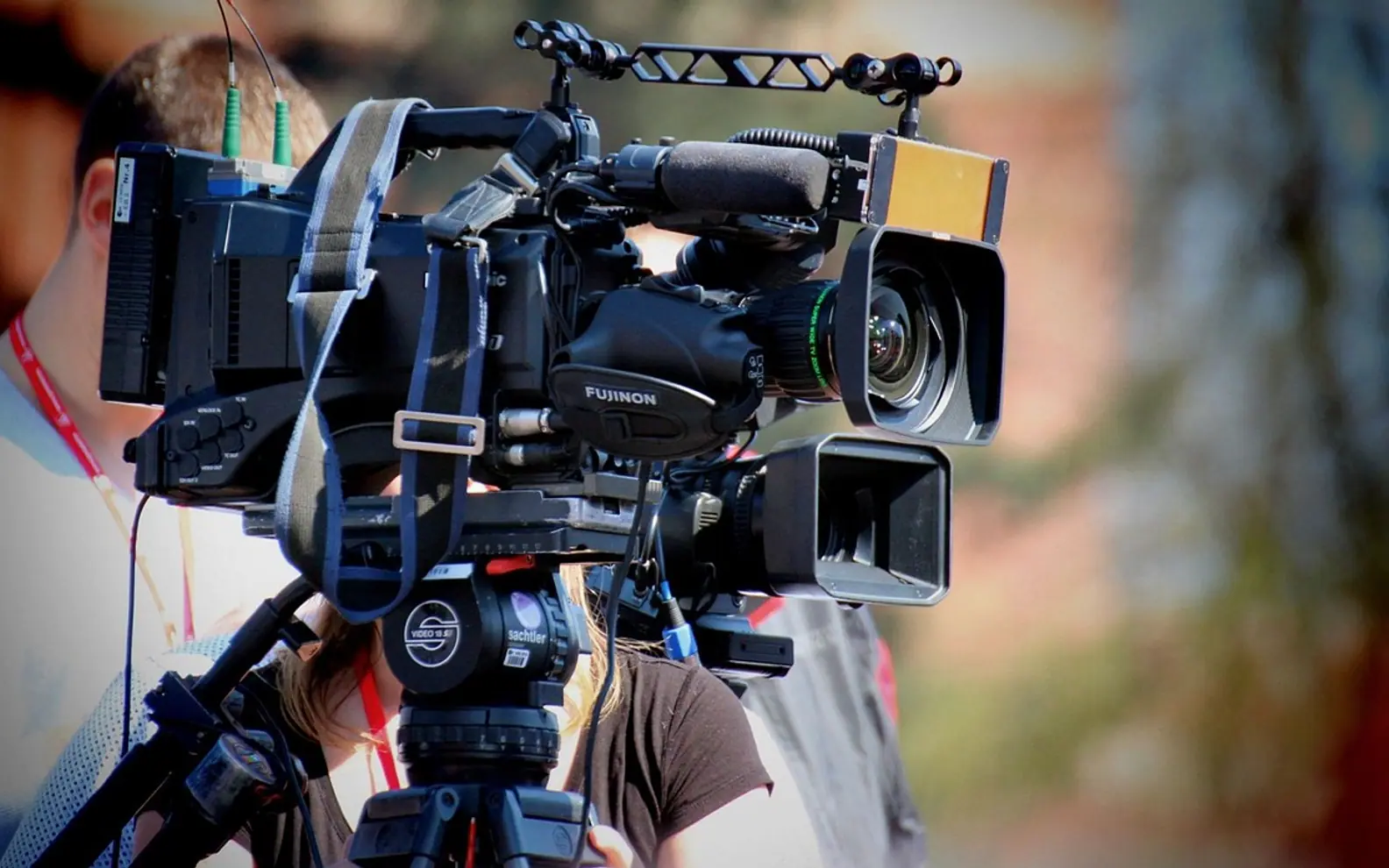
Picture a two-minute recipe video. The cook explains the method to camera, but every few seconds the picture switches to a knife slicing onions, butter melting in a pan, a hand sprinkling salt. The cook's voice carries on throughout. Those inserted shots are B-roll: supporting footage that sits over or between the main recording, which is called A-roll.
B-roll is what makes a talking video feel produced rather than recorded. It shows the audience what is being described, hides the joins between takes and gives the eye something new before attention drifts.
A-roll and B-roll
A-roll is the core material that carries the story: an interview, a presenter speaking to camera, the main action of a tutorial. B-roll is everything filmed to support it. The two are usually edited on separate tracks, with the A-roll audio running continuously underneath while B-roll pictures come and go on top.
The names come from older editing setups, in which two reels of footage, A and B, were run together so an editor could cut or dissolve from one to the other. The technology changed long ago, but the labels stayed.
What B-roll does for a video
- Illustrates: the viewer sees the product, the place or the process instead of only hearing about it.
- Covers edits: when a long answer is trimmed, a cutaway hides the visible jump in the speaker's position. The guide to jump cuts and other basic edits explains why that jump happens.
- Sets the scene: a wide shot of a building or a street tells viewers where they are in a second.
- Controls pace: short inserts speed things up; a slow, lingering shot gives space to think.
- Adds feeling: a close-up of hands, a pause, a glance out of a window can say more than another line of dialogue.
Shot types worth filming
| Shot | What it shows | Example |
|---|---|---|
| Establishing | The wider location | Exterior of a workshop, a street at dusk |
| Detail or insert | A close view of an object or action | Fingers on a keyboard, a label on a jar |
| Process | Something being made or done, step by step | Dough being kneaded, a cable being plugged in |
| Cutaway | Something nearby that relates to the scene | A listener nodding, a clock on the wall |
| Ambience | Atmosphere without a clear subject | Rain on a window, steam from a cup |
| Screen and graphics | Recordings, charts, icons, diagrams | A software walkthrough, an animated logo |
Graphics count as B-roll too. Icons, logos and simple diagrams stay crisp at any size when they start life as vector files, which is why the techniques in SVG editing for creators are useful for on-screen visuals.
Shooting habits that pay off in the edit
- Make a list first. Read through the script or the interview topics and note what each part could show.
- Hold every shot. Keep the camera steady for several seconds before and after any movement, so there is room to trim.
- Vary the size. Film a wide, a medium and a close version of the same action. Cutting between them looks natural.
- Move slowly, if at all. Gentle pans and slides add life; quick, shaky moves are hard to use.
- Match the main footage. Use the same aspect ratio, similar light and the same white balance, so inserts do not stand out.
- Consider a higher frame rate. Recording action at 50 or 60 fps leaves the option of smooth slow motion later.
- Record natural sound. A few seconds of sizzling, footsteps or birdsong under the pictures makes them feel real.
Laying B-roll into an edit
Build the A-roll edit first, with the story and timing complete. Then place B-roll on the track above, so it covers the picture while the main audio continues. Start each insert at a natural point, such as the beginning of a phrase, and let it run roughly as long as the idea it illustrates. Blend the natural sound from the B-roll in quietly under the voice.
Avoid being too literal. Showing a dog every time someone says "dog" quickly feels mechanical. Good B-roll supports the meaning of a sentence, not each noun in it.
Getting more use from spare footage
Unused clips rarely go to waste. Short, silent loops of products or premises suit the screens covered in digital display boards for brand visibility, where sound is often off anyway. When your own footage runs short, stock libraries fill gaps, but every clip comes with licence terms, much like the music licences covered in what royalty-free means.
Questions about B-roll
How much B-roll do I need?
There is no fixed ratio. As a working habit, film more than seems necessary; a short edit can easily use a dozen inserts.
Can phone footage work as B-roll?
Yes, provided it matches the main footage in shape, frame rate and colour as closely as possible. Steady, well-lit phone clips cut in without trouble.
Is B-roll only for interviews?
No. Tutorials, travel videos, product reviews, documentaries and even video podcasts all use it.
Across the sections
Editor’s picks
 TechnologyAI Headshot Generators: The Fast Track to Professional-Looking Photos3 min
 BusinessEnhancing RAG Systems Through User Feedback2 min
 TechnologyWhat Is a Streaming Stick? A Plain Look at the Plug-In TV Gadget4 min
 BusinessFrom Nigeria to the World: Exploring Citizenship by Investment Programs Abroad3 min
Spotted a mistake?
Suggestions help us plan.
Also explained in Creator Studio
 Creator Studio
 What Is a Jump Cut? J-Cuts, L-Cuts and Other Basic Video Edits
4 min Creator Studio
 What Does Royalty-Free Mean? Music for Videos and Podcasts Explained
4 min Creator Studio
 Colour Correction vs Colour Grading: What Each Editing Step Does
4 min Creator Studio
 Three-Point Lighting for Video Calls: Key, Fill and Back Light at Home
5 min Creator Studio
 Dynamic vs Condenser Microphone: Choosing and Setting Up a Podcast Mic
5 min Creator Studio
 What Is Frame Rate? 24, 30 and 60 fps for Video Made Clear
5 min