ExplainedCreator StudioTechnology
Dynamic vs Condenser Microphone: Choosing and Setting Up a Podcast Mic
Dynamic or condenser microphone for a home podcast? How each type works, what cardioid means, gain versus volume, what a pop filter does and a simple setup.
5 min read
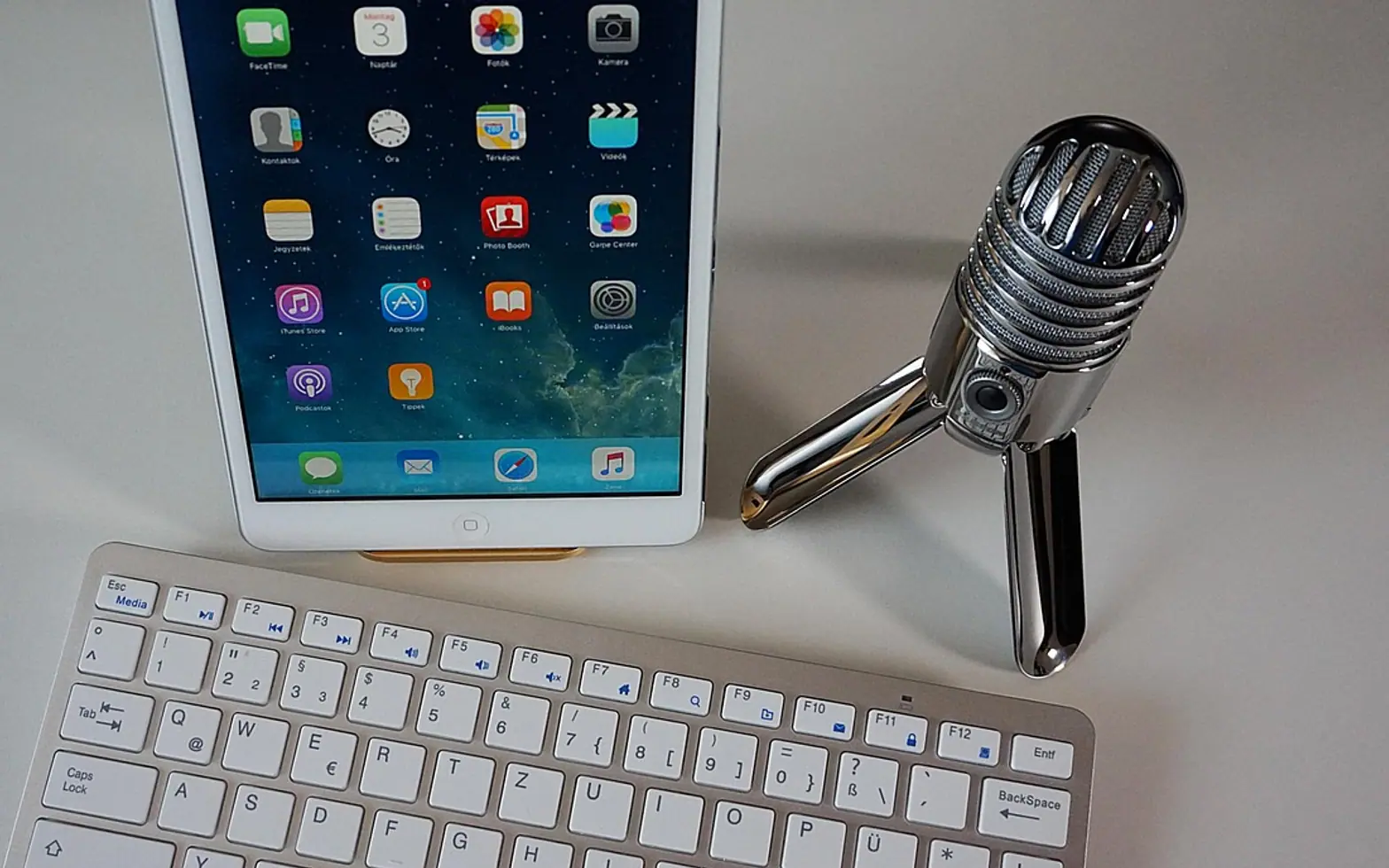
For most people recording speech in an ordinary, untreated room, a dynamic microphone is the forgiving choice and a condenser is the detailed one. A dynamic mic hears mainly what is close to it, so the fridge hum and the echo off a bare wall stay in the background. A condenser captures more nuance in a voice, but it also captures more of the room. Which one suits you depends less on price than on the space you record in.
How each type turns sound into a signal
A dynamic microphone works like a tiny loudspeaker in reverse. Sound pushes a thin diaphragm attached to a coil of wire, the coil moves inside a magnet, and that movement generates a small electrical signal. The design is rugged, needs no power of its own and is fairly insensitive to quiet, distant sounds.
A condenser microphone uses a very light diaphragm placed close to a fixed metal plate. Together they form a capacitor, and as the diaphragm vibrates the electrical charge between them changes. Because the diaphragm is so light, condensers react to softer and higher-pitched detail. They do need power: either 48-volt phantom power supplied through an XLR cable, or power from the USB port on USB models.
| Dynamic | Condenser | |
|---|---|---|
| Sensitivity | Lower; needs more gain | Higher; picks up quiet detail |
| Room noise and echo | Largely ignored at close range | Clearly audible in untreated rooms |
| Power | None needed | Phantom power or USB power |
| Usual distance from mouth | Close, about a hand's width | A little further back |
| Good fit | Spare rooms, kitchens, several voices round one table | Quiet, softened rooms; voiceover; acoustic instruments |
What is a cardioid microphone?
Every microphone has a pickup pattern, also called a polar pattern, which describes the directions it listens in. A cardioid pattern is shaped roughly like a heart: sensitive at the front, less so at the sides and quietest at the back. Point the front at the speaker and the rear at the noisiest part of the room, and the mic does some of the tidying for you. Other patterns turn up too:
- Supercardioid and hypercardioid: narrower at the front, with a small sensitive spot directly behind.
- Omnidirectional: equal pickup in every direction; natural sounding but full of room.
- Figure-8: front and back both live, sides quiet; handy for two people facing each other across one mic.
Check whether a model is end-address or side-address before you start talking. Many podcast condensers are spoken into from the side, and a voice aimed at the top grille comes out thin and distant.
USB or XLR?
A USB microphone contains its own preamp and converter and plugs straight into a computer. It is the simplest route for a single host. An XLR microphone sends an analogue signal that needs an audio interface or mixer to supply gain, phantom power where required, and a connection to the computer. XLR takes a little more kit, but it makes adding a second voice or swapping a mic later straightforward.
Gain vs volume
These two knobs cause more confusion than anything else on a desk. Gain sets how strongly the incoming microphone signal is amplified before it is recorded. Volume sets how loud the playback is in your headphones or speakers. Turning the headphone volume up makes nothing louder in the file; turning the gain up does. Set gain so normal speech sits comfortably below the top of the meter, and loud laughs never reach the red. Many people aim for speaking peaks somewhere around -12 to -6 dBFS, which leaves headroom for surprises. A recording that clips at the top cannot be repaired cleanly afterwards.
What does a pop filter do?
Letters such as P and B push a sudden puff of air out of the mouth. When that puff hits a diaphragm it produces a low thump called a plosive. A pop filter, either a fine mesh screen on a gooseneck or a foam cover over the capsule, breaks up the air before it arrives while letting the voice through. It also keeps moisture off the microphone. Speaking slightly across the mic rather than straight into it reduces plosives further.
Setting up a podcast mic, step by step
- Mount the mic on a boom arm or desk stand, ideally with a shock mount, so knocks on the table do not travel up into the recording.
- Place it close: about a hand's width away for a dynamic, a little more for a condenser. Being very close boosts bass, an effect called proximity effect, which some voices welcome and others find boomy.
- Angle it slightly off the line of your mouth and fit the pop filter.
- Put on closed-back headphones so you hear what the mic hears without speaker sound leaking back in.
- Set gain while speaking at normal performance level, not a polite test whisper.
- Record thirty seconds, listen back, then adjust distance and gain once more.
- Soften the room with what is already there: curtains closed, a rug on the floor, a sofa or bookcase behind you. Bare walls and windows are the main source of echo.
Remote guests and video podcasts
When guests join over the internet, a steady connection matters more than raw speed. A cable or a powerline adapter running wired internet through the wall socket avoids the dropouts that Wi-Fi can bring, and the upload figure explained in the guide to Mbps and internet speed numbers shows whether the line can carry your voice and video at once. If the show is filmed, the same desk benefits from three-point lighting for calls and recordings, and intro music should come with a clear licence, as explained in what royalty-free really means.
Quick questions
Can a condenser work in a noisy flat?
It can, but expect to hear the room. Working closer, choosing a cardioid setting and softening the space all help. If traffic or neighbours are constant, a dynamic is usually the calmer option.
Does a dynamic mic need an audio interface?
An XLR dynamic does, and it often needs a fair amount of clean gain. USB dynamic models skip the interface entirely.
Across the sections
Editor’s picks
 TechnologyAI Headshot Generators: The Fast Track to Professional-Looking Photos3 min
 BusinessEnhancing RAG Systems Through User Feedback2 min
 TechnologyWhat Is a Streaming Stick? A Plain Look at the Plug-In TV Gadget4 min
 BusinessFrom Nigeria to the World: Exploring Citizenship by Investment Programs Abroad3 min
Spotted a mistake?
Suggestions help us plan.
Also explained in Creator Studio
 Creator Studio
 What Is a Jump Cut? J-Cuts, L-Cuts and Other Basic Video Edits
4 min Creator Studio
 What Is B-Roll? Cutaway Footage That Keeps Videos Watchable
4 min Creator Studio
 What Does Royalty-Free Mean? Music for Videos and Podcasts Explained
4 min Creator Studio
 Colour Correction vs Colour Grading: What Each Editing Step Does
4 min Creator Studio
 Three-Point Lighting for Video Calls: Key, Fill and Back Light at Home
5 min Creator Studio
 What Is Frame Rate? 24, 30 and 60 fps for Video Made Clear
5 min